Practical guide
Evaluating a connected practice platform
Define what all-in-one should mean for your practice
All-in-one is useful only when it describes the work your team needs to perform. A practice may need clinical documentation, appointments, optical checkout, stock, billing records and patient communication in one operating environment. It may also depend on external labs, processors or payer services. Start by listing those tasks and relationships before evaluating the label.
The key question is how information moves between roles. Can the front desk identify the submitted intake? Can the clinician review the relevant history? Can the optician find the intended prescription and order? Can the billing team identify the source record and unresolved question? These are concrete requirements that can be demonstrated.
Jelo connects these areas in a per-location platform. External relationships still have their own account requirements and responsibilities. This guide helps you evaluate the connected workflow and the remaining dependencies without assuming that one subscription replaces every outside service your practice uses.
Map the records instead of counting modules
A patient journey can involve several records with different purposes. The appointment describes planned time, intake contains submitted information, the encounter documents care, the optical order describes selected products and work, and financial records describe amounts and collection. Keeping them connected does not make them interchangeable.
Draw a simple sequence of the records your practice uses and name the role responsible for each. At every transition, identify the information needed to proceed and the question that could stop the work. A connected platform should help staff find the relevant context, while the practice defines who reviews it.
This exercise often reveals requirements that a module checklist misses. A product may offer both an EHR and a POS, yet the practice still needs to inspect the prescription handoff and correction process. Evaluate the connection with the same care you give the individual feature.
Follow one patient journey through the platform
Use a fictional patient scenario that begins with booking and continues through intake, documentation, optical work and billing review. Have each actual staff role perform its part. The person receiving the handoff should explain what is ready and what they need to review next.
Do not let the demonstration skip the transitions by opening a perfectly prepared screen for every role. Ask how the employee finds the record from their normal starting point. Then add one exception, such as missing intake or a changed frame choice, and observe how the next owner is identified.
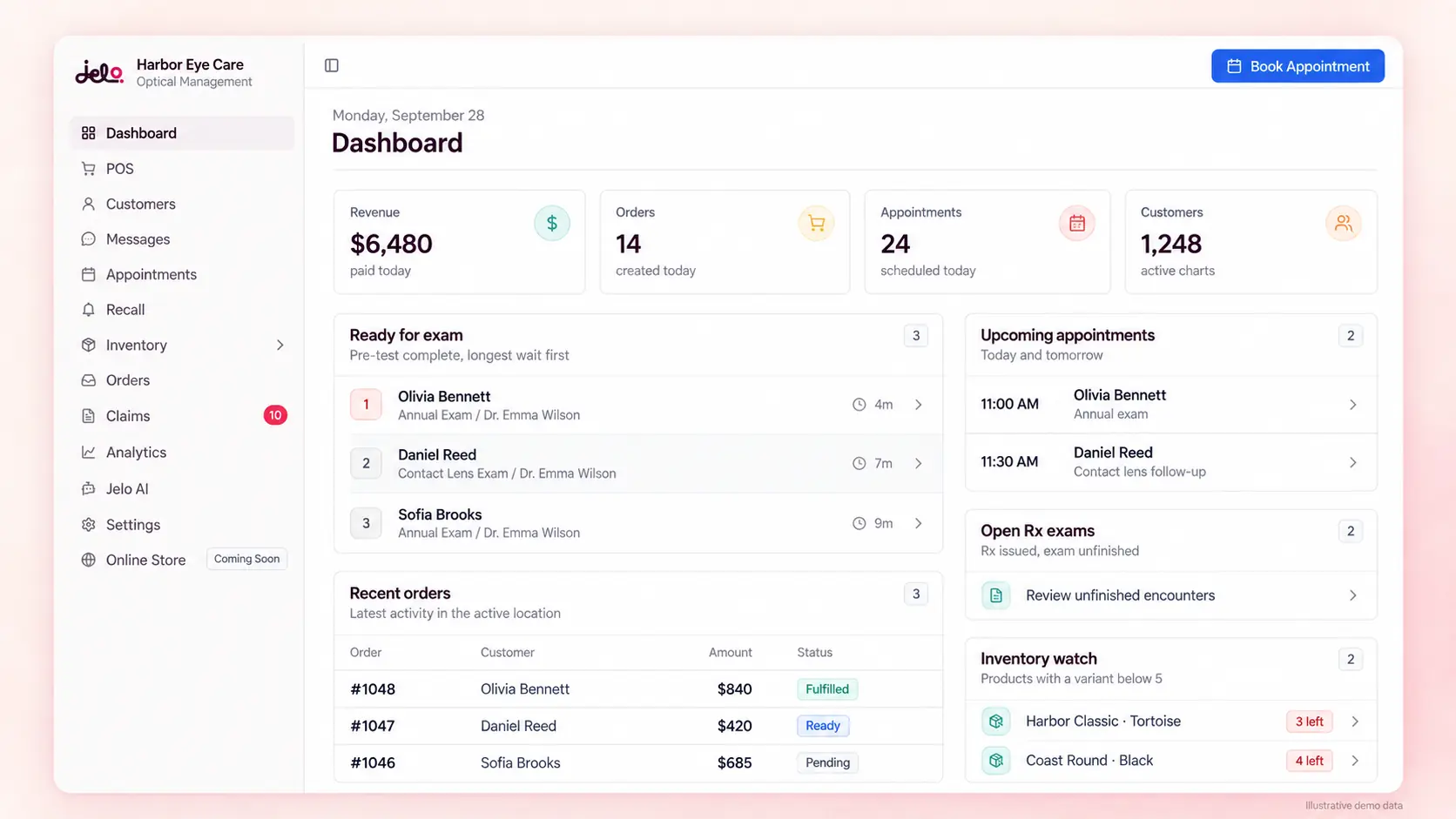
The workflow walkthrough shows selected Jelo components with fictional data and explains the handoffs. It is a useful orientation, while a practice-specific demonstration should confirm the configurations, accounts and exceptions that matter to your team.
Evaluate the front desk as a complete workflow
The front desk coordinates appointment requests, patient identification, preparation and changes during the day. Review appointment types, provider availability and office context, then follow the booking into the intake and communication steps. A calendar grid alone does not establish that the visit is ready.
Include a returning patient with updated contact information and a rescheduled appointment. Ask staff to explain what changed and what preparation remains. If the practice offers an online appointment route, confirm what the patient can request and which event makes the booking final.
Jelo's scheduling, intake and CRM guides provide separate acceptance questions. Reviewing them together helps the practice see whether a connected platform supports the actual front-desk sequence rather than merely placing several tools under the same navigation.
Keep clinical responsibility clear
The EHR should help clinicians find relevant information, document the encounter and review the record before finalization. A configurable template can organize the work, but it does not decide what care is appropriate or prove that a service was performed. The clinician remains responsible for the clinical record.
Evaluate a new-patient encounter, a returning-patient review and a correction. Ask how the intended template is chosen and how the receiving optical or billing team identifies the relevant information. Include the records your practice relies on, such as attachments or external results, as explicit requirements.
Use the EHR guide for this review. A strong operating fit in another part of the platform should not close an unanswered clinical requirement. Each role needs evidence that its essential work is supported before the practice treats the overall system as ready.
Connect optical selection, stock and order work
Optical work depends on the correct patient information, item variant, lens configuration and measurements. Staff need to understand the retail order, the physical stock and the external lab step. A connected workflow is helpful when those records are easy to find and their meanings remain distinct.
Test a frame-and-lens order, an unavailable variant and a correction. Have the optical employee identify the office quantity and explain any transfer or investigation required. Then follow the order toward the lab and review how an unresolved response is handled.
Jelo's optical POS and inventory are part of the platform. The VisionWeb integration is available, but the practice's account, lab and catalog requirements still need confirmation. A successful retail action should not be presented as proof that every external lab step has completed.
Distinguish billing records from insurance services
An all-in-one platform can hold billing records while an outside service performs insurance and payer work. Those responsibilities should be visible in the evaluation and budget. Ask who reviews the encounter, who receives payer questions and how unresolved items return to the practice.
For Jelo, insurance and payer work is handled through Jelo AI at a confirmed charge of 10% of insurance reimbursements received. That fee is separate from the platform subscription. The AI biller is available in beta with no usage cap during beta, and future caps are planned; the reimbursement-based fee still applies.
Review the billing workflow and AI biller setup with your actual payer and account requirements. Do not infer universal payer coverage or guaranteed reimbursement from the availability of a connected service. The practice needs a clear handoff and confirmed scope.
Treat payment collection as its own financial step
The amount due on an order, a recorded collection and a processor payout represent different facts. Staff should understand how the intended payment method is used and how an unfinished or corrected payment is reviewed. Sending a payment link does not establish that the patient paid it.
Jelo uses Stripe as its processor. External-card recording, cash collection and integrated payments have different source evidence for reconciliation.
Use the payment processing guide to evaluate ordinary collection and exceptions. Include your hardware requirements and review the relevant contractual provisions before selecting a payment route. A single software platform does not remove the need for an appropriate financial review process.
Give communication an owner and a stop condition
Patient communication should have a defined purpose, a responsible person and a clear next step. An appointment reminder, order update and recall invitation may use related tools but require different review. Staff need to know who receives replies and how changes affect further outreach.
Jelo includes CRM, messaging and recall in the platform, using Sinch for messaging. Confirm the actual sending configuration, communication preferences and applicable third-party charges. The provider relationship does not establish that every possible channel or campaign is ready for your practice.
Test a message that receives a reply and a patient whose situation changes before the next planned contact. Ask how staff avoid duplicate or outdated follow-up. The recall guide provides a deeper process for defining an audience, handling responses and measuring stages separately.
Review every outside dependency explicitly
Create an integration register for the services the practice needs. For each one, identify the account owner, the information exchanged, the direction of the exchange and the evidence of success or failure. Include devices and services that are essential even if they are not part of a vendor's standard demonstration.
Jelo supports VisionWeb lab ordering, Stripe payments, Jelo AI insurance billing and Sinch messaging. Specific account and configuration requirements still matter. Other device or service requirements should remain open until they are demonstrated or confirmed.
Use the integration guide to record prerequisites and acceptance tests. A feature can be available while your practice's account is not yet ready. Keeping those two facts separate helps the implementation team choose a realistic launch date and avoid discovering a missing dependency during patient-facing work.
Use one platform without assuming identical access
Different roles need different views and actions. The clinician, front desk, optician and billing reviewer should each test the work they are expected to perform. An administrator's broad access can hide a permission or configuration question that affects ordinary staff.
For multiple locations, confirm office scope and the distinction between practice-wide information and local operations. Jelo supports a shared practice patient catalog, office-specific stock and authorized transfers. Staff should use the working office for operational edits, while all-location views support appropriate review and reporting.
The multiple-location guide helps evaluate those requirements. A shared platform should make responsibility clearer, not encourage everyone to perform every action. Review access when staffing or office assignments change so the operating plan remains aligned with the account setup.
Separate current AI from the roadmap
Jelo AI assistant launched in September 2026 and is available in beta. The AI biller launched in August 2026 and is also available in beta. The owner confirms no usage caps during beta for those tools, with future limits planned. AI scribe and AI receptionist remain on the roadmap for the coming months without fixed launch dates.
Evaluate current requirements against available capabilities. The in-app assistant can prepare supported actions for review and confirmation, while the clinician reviews exam suggestions. It should not be described as a launched automated phone receptionist or a complete ambient documentation service.
Use Jelo AI and product updates to keep the distinction visible. A planned feature may be relevant to the practice's future interests, but it should not silently fill a mandatory workflow needed on the first day of implementation.
Compare the total operating cost
Jelo's platform price is $300 per month per location or $3,000 per year per location paid upfront, with unlimited doctors and staff at each paid location. The annual option is paid upfront; it is not a promise that every outside service or transaction charge is included.
Build separate lines for the platform, processing, reimbursement services, hardware, implementation-related costs and any other confirmed charges. If an amount is unknown, mark it as an unanswered question. A blank line should not be interpreted as zero when comparing proposals.
Use the pricing calculator with your actual scope and bills. Comparing a per-location platform with a quote that includes different modules or locations can produce a misleading result. The useful comparison explains both the price and the work each proposal covers.
Evaluate the cost of moving information
A platform change requires a plan for the records the practice uses now and the information it must retain. Inventory demographics, clinical history, documents, future appointments, stock and open financial work separately. Ask what the current system can export and what the destination can receive.
Review representative samples with the people who depend on each category. A successful patient import does not prove that inventory quantities, attachments or unresolved billing items meet the practice's expectations. Identify anything that remains in an archive or prior system and explain how staff will access it.
Platform setup takes 3–4 calendar days for a single location and no more than 7 calendar days for multiple locations. Confirm the start date and prerequisites with Jelo during your workflow review. The migration checklist helps turn those prerequisites into a reviewable plan. The connected platform is the destination; migration is a separate project with its own acceptance evidence.
Review data access before committing
A practice should understand how it can use and retrieve its information throughout the relationship. Jelo confirms data exports for your own analytics, free cancellation and help moving to another system if needed. Specific export formats, delivery timing and contractual treatment should be confirmed when they matter to your requirements.
Jelo also confirms HIPAA compliance, BAAs with practices and providers, an encrypted database and automatic daily backups. These are the published commitments. Do not infer a particular certification, hosting region or recovery objective that has not been confirmed.
Use the security page to organize the additional questions your practice needs answered. Data access and continuity are practical operating requirements, even when the team expects to use the platform for many years. Resolve them alongside the daily workflow instead of postponing them until an exit is necessary.
Introduce the platform in manageable workstreams
Implementation is easier to coordinate when each workstream has an owner and a clear finish. Separate data preparation, templates, appointment rules, inventory, external accounts and staff training. Record the dependencies between them so a team does not begin a test before its prerequisites are ready.
Rehearse the connected patient journey after the individual configurations are reviewed. Include an ordinary visit and a few realistic exceptions. Ask each receiving role to explain the next action. This identifies gaps between modules that may not appear when each setup task is tested alone.
Keep a concise list of unresolved items and the evidence required to close them. If the practice accepts an interim process, identify where the work will occur and who owns it. A clear launch plan is more useful than a broad assurance that everything is connected.
Measure the work after adoption
Choose a few operational measures with stable definitions, such as completion of intake review or investigation of inventory discrepancies. Record the eligible population, period and completion rule. Scheduled visits, attended appointments and received payments should not be combined under one vague success measure.
The practice operations worksheet calculates rates from aggregate counts and exports them as CSV. It does not read the practice database, establish an industry benchmark or prove that software caused a change. Review the underlying work and the context before choosing an improvement.
Customer stories can provide useful perspective on adoption. Care Optica and Sharp Eye Care describe quick learning and a positive fit, but their experiences are not a fixed training schedule or numerical efficiency guarantee for every practice. Use those accounts alongside your own acceptance tests and staff feedback.
Make the final decision from required work
Summarize the mandatory workflows first, then configuration, migration, commercial scope and preferences. A product can be attractive and still leave a required task unanswered. Keep that gap visible instead of hiding it inside an average score across many optional features.
Use the software evaluation worksheet to record what was demonstrated and the next owner for every open question. A final decision should explain why the platform fits the practice, what setup remains and how readiness will be verified.
Book a demo with Joel or Loreli around your complete operating scenario. The goal is a connected workflow your staff can understand, with clear boundaries around external services and planned products. That gives all-in-one a concrete meaning tied to the way your practice works.
Questions to resolve before signing
Does one platform mean one external account?
Not necessarily. Confirm the account arrangement for payments, messaging, lab ordering and payer services. The practice needs to understand which accounts it owns, which setup is required and who reviews an unresolved response. A shared interface does not remove these dependencies.
Can we keep a necessary outside tool?
List the task the tool performs and the information that must move between it and the platform. Ask for the supported route and identify any manual work. Do not assume a connection because both tools are commonly used in optometry. Make the operating cost and responsibility part of the decision.
How do we know the team is ready?
Have each role complete its required task and receive a handoff from another role. Include at least one exception. Readiness means the team understands what is complete, what is waiting and who acts next, with unresolved mandatory requirements addressed before launch.