Practical guide
Building a schedule your team can operate
Design the schedule around the work of the practice
A useful schedule represents the appointments your team can actually support. Begin with the visit types, providers, locations and preparation requirements that shape the day. The calendar is the visible result of those decisions; it should not be the place where staff invent a new rule every time someone calls.
Write down the ordinary booking path and the situations that need review. A returning patient with a familiar appointment type may follow one route, while a request involving an uncertain service or office needs a staff decision. The practice's clinical lead should define any criteria that require clinical judgment.
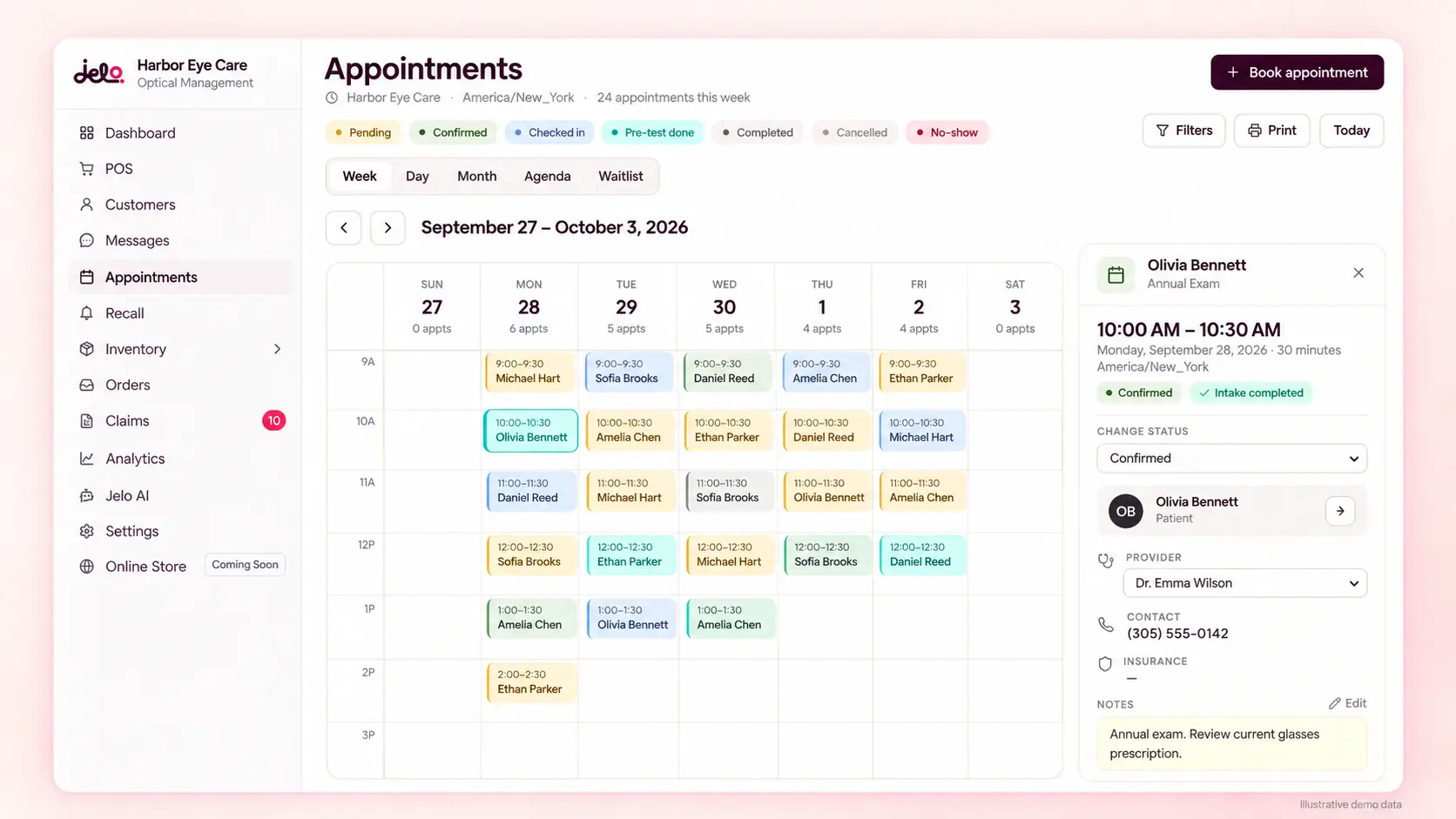
Jelo connects scheduling with the patient record, intake and reminders. Evaluate the complete handoff from booking to preparation and arrival. A calendar grid can look convenient while leaving important questions unanswered about office scope, staff overrides or what happens when the planned visit changes.
Give appointment types clear meanings
Appointment type names should help staff choose the correct workflow and help patients understand what they are requesting where those names are public. Review the names, durations and allowed days with the people who manage the schedule. Avoid labels that only one experienced employee understands.
Define what distinguishes one type from another and who can resolve an uncertain request. A scheduling label does not establish that a particular clinical service is appropriate for a patient. Staff should have an approved route for questions rather than selecting the closest-looking type without review.
During evaluation, use several appointment types from your practice and ask the employee to explain why each is selected. Include an ambiguous request. The useful result is an understandable decision process and a clear handoff for uncertainty, not simply proof that the software can display many appointment names.
Review duration as an operating assumption
Appointment duration affects the team's capacity, but a number in the calendar is only an assumption about how the practice organizes the work. Review the duration with the responsible staff and distinguish provider time from any preparation or follow-up that occurs outside the visible slot.
If your practice uses different durations for different circumstances, identify the rules and confirm how the intended configuration is supported. Do not assume that every conditional booking rule exists because a duration field can be edited. Record complex requirements as separate acceptance items.
Test a change in duration and review what staff need to consider before applying it. Existing appointments and future availability may require different attention depending on the supported workflow. The employee should understand the effect of the change before relying on it during a busy day.
Match providers and offices deliberately
A patient needs the correct provider and location as well as an available time. For a practice with several offices, staff should verify where the provider is working and which services are offered there. A familiar provider name does not make every office or time appropriate.
Jelo supports multiple locations, with account roles and office configuration reviewed during setup. Staff should confirm the active office before operational edits. An all-location view can support review and reporting, but it should not replace the working-office context for changes.
Use a fictional example involving two offices and a provider who works at both if that reflects your practice. Ask the employee to identify the intended office, review availability and explain the patient-facing instruction. The multiple-location guide provides a broader framework for office access and rollout requirements.
Decide what patients can request online
An online appointment route should accurately describe what happens after a person uses it. Review which appointment types, providers and locations are available through the intended configuration. If staff must approve a request before it becomes a confirmed booking, the patient-facing wording should make that distinction clear.
Test the actual route on a phone and a desktop. Ask someone unfamiliar with the practice's internal terminology to follow the instructions using fictional details. Note where they are uncertain about the location, the type of visit or the next step. Those questions can guide clearer wording and configuration.
Confirm the exact online-booking behavior during the demo rather than assuming every public request is instantly accepted. A good acceptance test identifies what the patient sees, what staff receive and which event confirms the appointment. Keep any unsupported requirement visible in the evaluation sheet.
Identify the patient before creating new work
Scheduling often begins before staff have a complete picture of the patient record. Establish a procedure for finding the intended person and recognizing a possible duplicate. Similar names, changed contact information and inquiries through several channels can otherwise create multiple records or appointments for the same situation.
Decide who resolves uncertainty and how staff document the next step within the approved system. Creating a new record may be appropriate in some cases, but it should be an intentional action rather than the default response to an unsuccessful search.
In a demonstration, include a returning patient with updated contact information and a separate fictional person with a similar name. Ask the employee to explain how they identify the correct context. This tests the real front-desk work that occurs before the calendar action itself.
Connect the booking to preparation
Once an appointment is scheduled, identify what the practice needs before the visit. This may include intake, relevant records or clarification of an administrative question. Assign a staff owner to check readiness and a route for items that require clinical review.
A booked appointment and a completed intake are different states. Staff should know where to find the form, whether it has been submitted and what review remains. A patient who cannot complete a digital form remotely still needs an accessible way to receive help through the practice's process.
Use the intake guide to evaluate form configuration, required questions and the staff-facing result. Rehearse the handoff with a new patient and a returning patient. The calendar should lead staff to the preparation they need rather than being treated as proof that the visit is ready.
Prepare reminders with accurate context
A reminder should reflect the current appointment, including the correct office and any approved next-step instruction. Review contact details, preferences and the applicable communication requirements before sending. The practice should decide who maintains the wording and who handles replies.
A reminder sent before a schedule change may no longer describe the current appointment. Include a rescheduling example in the acceptance test and ask how the team reviews the communication sequence. Do not assume that every message has been updated merely because the calendar entry changed.
Jelo uses Sinch for messaging. Confirm the sending setup and the specific workflow your practice intends to use. The CRM guide explains response ownership and stop conditions, while the integration guide helps identify account prerequisites and unanswered channel requirements.
Make rescheduling a complete handoff
Moving an appointment changes more than a time on a grid. Staff may need to review the provider, office, preparation instructions and any communication already sent. The patient should understand the new arrangement, and the receiving team should know which record represents the current plan.
Use a fictional appointment that moves to a different day, then another that changes office if relevant. Ask the employee to explain what is updated, what requires a separate review and how the old arrangement is understood. This reveals whether the workflow is clear under ordinary changes.
Confirm the supported behavior for any specific requirement, such as retaining a reason for the move or coordinating related work. Avoid inferring a feature from a familiar calendar interaction. Record the demonstrated sequence and include it in staff training so coverage employees follow the same process.
Define cancellations and unresolved requests
A cancellation, an unanswered request and a patient who has not arrived are different situations. Agree on the meanings your practice uses and how staff record the next action. Clear definitions make the daily review and later measurement more useful.
For a cancellation, decide whether follow-up is needed and who owns it. For an unresolved request, identify the information still required and when someone will review it again. If the situation involves clinical judgment, route it to the appropriate professional rather than using an administrative status to settle the question.
Test an appointment that is canceled after preparation has begun. Ask how the employee identifies any related work that may need attention, including communication. A supported calendar action is only one part of the operating procedure; the practice still needs to define the surrounding handoff.
Treat waitlist needs as a specific requirement
If your practice uses a waitlist or a cancellation-fill process, describe how it works before evaluating software. Identify who is eligible, how contact preferences are handled, who makes the offer and how the team prevents more than one patient from believing the same slot is theirs.
Bring that exact sequence to the demonstration. Confirm which parts are supported, which require staff coordination and which remain unanswered. A general scheduling feature should not be treated as proof of every waitlist automation or prioritization rule your practice might want.
Keep clinical priority decisions with the appropriate professional. An operational list can help staff organize contact, but it should not independently determine the urgency of care. The acceptance test should show an understandable offer and confirmation process that fits the practice's approved rules.
Coordinate the day without losing the record
The front desk and clinical team need a shared understanding of the day's work. Decide which changes should prompt a handoff and how staff communicate unresolved preparation. Avoid relying only on verbal updates that a covering employee cannot reconstruct later.
A short daily review can focus on appointments needing clarification, intake that still requires attention and changes in provider or office availability. Assign an owner to each unresolved item. The review should help people act, not repeat every detail already visible in the schedule.
Use a fictional busy-day scenario in training: one rescheduled appointment, one incomplete intake and one request intended for another office. Ask each role to identify its next action. This tests whether the process remains understandable when several ordinary exceptions occur at once.
Use the AI assistant's confirmation step carefully
Jelo's available AI assistant can prepare supported appointment actions, including booking, rescheduling and cancellation, for review. The action card gives staff a point to check the patient, provider, time and location before selecting Confirm. Typing approval in the conversation does not execute an action.
Treat the review as part of the scheduling workflow. If the wrong office or time appears, correct the proposal or stop rather than assuming the assistant will infer the intended change. Available actions follow the user's role, location access and practice settings.
The assistant is available in beta with no usage limits during beta; future caps are planned. It is separate from the planned AI receptionist. Review the Jelo AI page for the current in-app workflow, and do not assume that live scheduling includes an automated phone agent.
Measure booking and attendance separately
A booked appointment measures a scheduling event. Attendance, completed documentation and collected payment describe different work. Choose the measure that answers your question and define the eligible population before calculating a rate.
For example, a fictional practice may have 50 appointments in a defined attendance review and 40 attended visits, producing an 80% rate under its written inclusion rules. That result depends on how the practice handles cancellations, rescheduling and appointments outside the period. It does not explain why someone did not attend or prove that reminders caused a change.
Keep counts, dates and definitions together. Compare similar periods and explain changes in staffing, appointment mix or office hours before attributing a result to software. The operations worksheet can support aggregate completion calculations, but it does not impose an industry benchmark or guarantee a full calendar.
Plan coverage for schedule changes
The person who usually manages the calendar may be absent when a provider's availability changes or a patient needs assistance. Identify who covers the work and which decisions require approval. A clear handoff should state what changed, which appointments may need review and who is responsible for contacting affected patients.
Test the covering employee's access and understanding. An administrator may be able to make a change that another role cannot, so evaluate the actual staff configuration. Keep the procedure short enough to use during a real interruption.
Review recurring exceptions after a reasonable operating period. If staff repeatedly need an override, determine whether the appointment rules should change or whether the exception requires a separate approved process. Repeated workarounds are a signal to review the operating design, not automatically evidence that staff need to try harder.
Prepare scheduling data for a move
When switching systems, decide which future appointments and related information need to remain available. Review the export and destination requirements with the migration team. A patient import alone does not establish that the schedule will match the practice's expectations at cutover.
Validate a representative sample with the front desk, including different appointment types, providers and offices. Check the date, time, patient context and relevant preparation. Identify how the team will handle appointments created or changed after the initial extraction so the final operating plan is clear.
Platform setup takes 3–4 calendar days for a single location and no more than 7 calendar days for multiple locations. Confirm the start date and prerequisites with Jelo during your workflow review. Use the migration checklist to coordinate these dependencies. Do not select a launch date based only on the apparent simplicity of the calendar interface.
Review access and patient-facing information
Scheduling exposes information to staff and may present selected instructions to patients. Review who can see and change the relevant records, and confirm the office scope for each role. The practice should also maintain accurate public hours, contact routes and appointment instructions outside the system.
Jelo confirms HIPAA compliance, BAAs, an encrypted database and automatic daily backups. If your practice requires more specific technical information for its assessment, request it through the security review rather than assuming an unconfirmed control or certification.
Keep the scheduling procedure aligned with the current configuration. When appointment names, office hours or booking routes change, review the instructions staff use and the messages patients receive. An accurate system setting can still produce confusion if an old website page or template tells people something different.
Compare the complete scheduling scope
Scheduling is part of Jelo's platform subscription, priced at $300 per month per location or $3,000 per year per location paid upfront. Unlimited doctors and staff are included at each paid location. The subscription is not priced per doctor, but each additional paid location has its own platform charge.
Review messaging setup, integrations and applicable third-party charges separately. Keep planned AI receptionist functionality outside the current scheduling acceptance criteria unless an available solution is specifically confirmed. Use pricing and updates to distinguish commercial scope and release status.
Bring your appointment rules and exceptions to a demo with Joel or Loreli. The software evaluation worksheet can record the booking, preparation, change and response workflows. A useful decision leaves the team with a schedule it can operate and a clear list of any requirements still awaiting an answer.
Walk through a same-day change with two staff members
Consider a fictional appointment that needs to move after the patient has already completed intake. The first employee should identify the existing appointment and confirm which details are changing. If the office or provider changes, those facts need explicit review alongside the new time. The submitted form and the appointment are related records, so staff should verify the relevant context instead of assuming the preparation has disappeared or remains appropriate without checking.
The second employee then picks up the work from the normal scheduling view. Ask them to explain the current arrangement, the preparation still needed and whether the patient requires a new instruction. If they cannot do that without asking the first employee to reconstruct the conversation, identify the missing record or handoff rule.
Finish the exercise by confirming the appointment through the supported workflow and reviewing the patient-facing message. Use fictional details and avoid sending a real reminder during a demonstration. The acceptance result should identify what the software shows, what staff review and who owns any unfinished communication. This small exercise tests continuity during a common interruption and provides a practical training example for someone covering the front desk later.